BLOG
Everything You Need to Know Before Installing XPay on Shopify
Everything you need to know before installing XPay on Shopify, from merchant onboarding to secure payment setup and integration.

Author
XPay
July 17, 2026
BLOG
Everything you need to know before installing XPay on Shopify, from merchant onboarding to secure payment setup and integration.
July 17, 2026
.webp)
Launching a Shopify store is only half the journey. To start selling online, you also need a reliable payment solution that lets customers pay securely and gives you a seamless checkout experience.
For merchants in Pakistan, choosing the right payment partner can directly impact conversion rates, customer trust, and business growth. Before installing XPay on Shopify, it's important to understand how the onboarding process works, what documents you'll need, and how your payment gateway connects to your store.
This guide covers everything you need to know before getting started.
Your checkout is where every sale is won or lost. Even if you've invested in great products and marketing, a slow or confusing payment process can cause customers to abandon their carts.
A modern payment solution should offer:
Choosing the right payment partner helps create a better customer experience while increasing the chances of completing every sale.
XPay Shopify app is a payment solution designed for Shopify merchants, enabling businesses to accept online payments through a secure, on-site checkout experience.
With quick integration, enterprise-grade security, and support for multiple payment methods, XPay helps merchants simplify payment acceptance while providing customers with a smooth checkout experience.
Key benefits include:
Before connecting XPay to Shopify, make sure your business and online store are ready.
Your website should include:
A complete and professional website helps speed up the onboarding process and builds customer trust.
To activate your payment gateway account, you'll need to complete merchant verification.
Depending on your business type, you may be asked to provide:
Having these documents ready helps reduce onboarding delays.
Once your XPay merchant account has been approved and you've received your merchant credentials, installing XPay on Shopify takes only a few minutes.
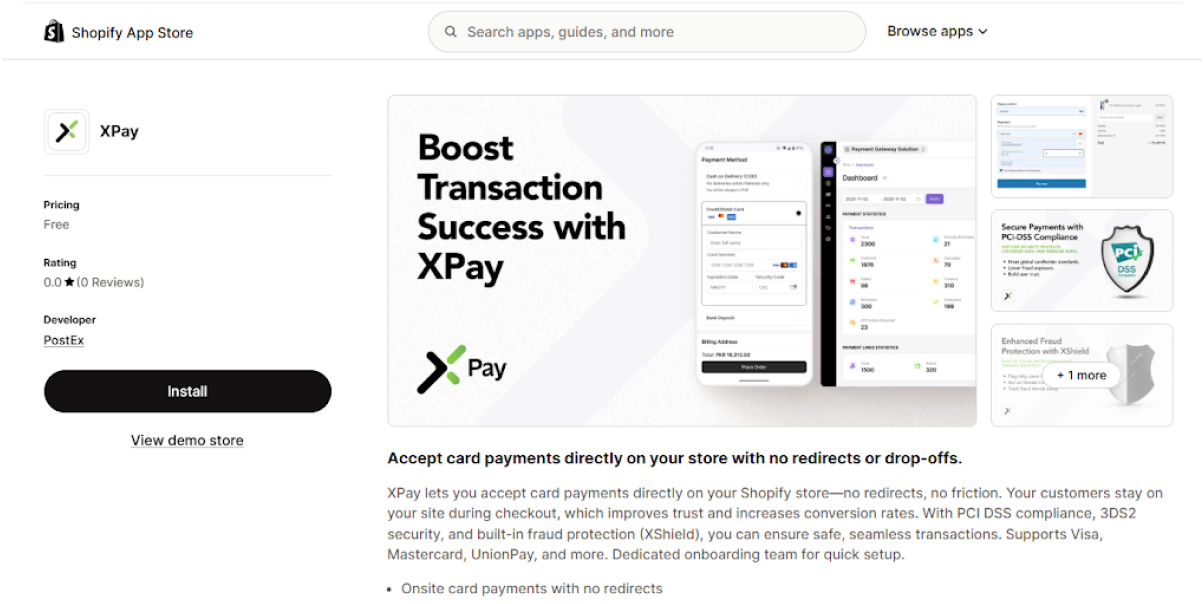
Visit the Shopify App Store and search for XPay by PostEx. Open the app listing and click Install to begin the setup.
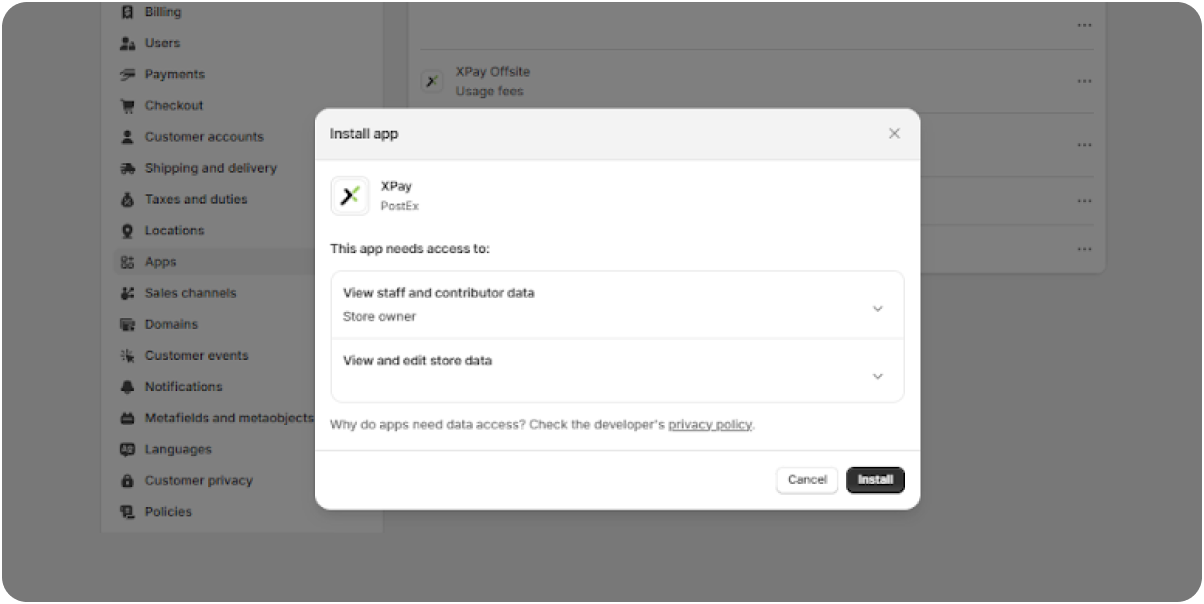
Shopify will display the permissions required by XPay to connect with your store.
Review the requested permissions and click Install to authorize the app.
These permissions allow XPay to securely communicate with your Shopify store for payment processing and order management.
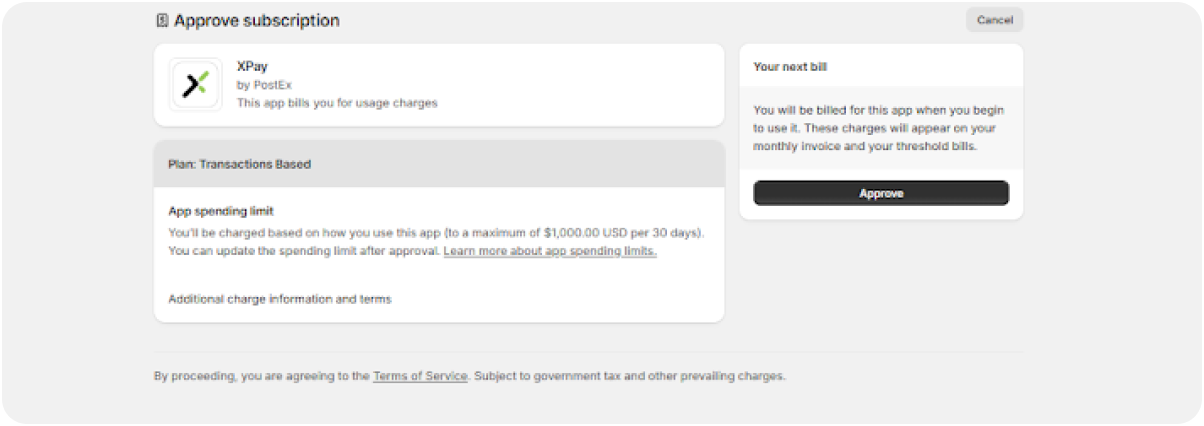
After installation, Shopify will display the subscription approval screen.
Review the billing information and click Approve to continue.
This step authorizes Shopify to activate the XPay application for your store.
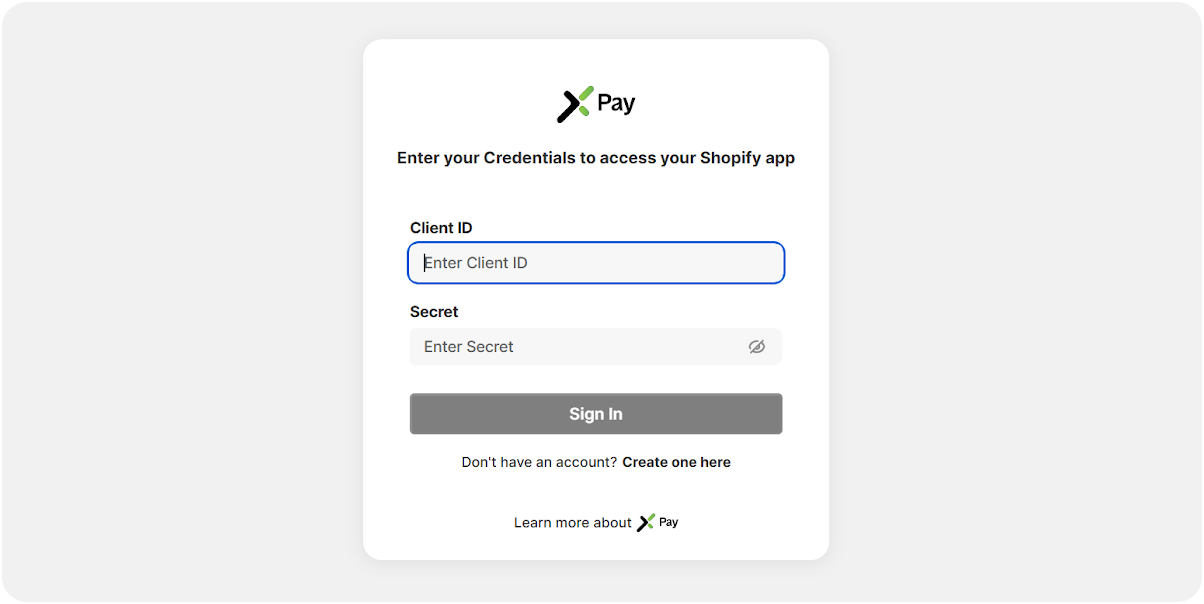
Once the app is installed, you'll be redirected to the XPay login screen.
Enter the credentials provided by the XPay onboarding team:
Click Sign In to securely connect your Shopify store with your XPay merchant account.
After successfully signing in, XPay will appear under Settings → Payments in your Shopify Admin.
From here, you can:
Supported payment methods include:
Once configured, XPay becomes your active payment provider and customers can begin making secure card payments directly on your Shopify store.
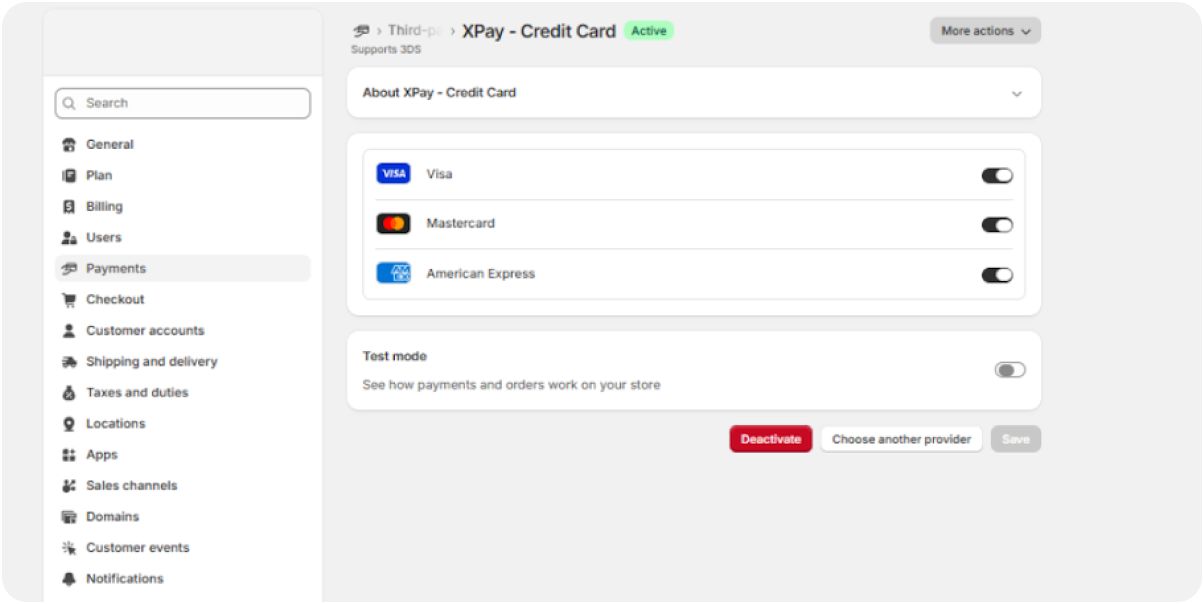
Before accepting live payments, verify that:
Once these checks are complete, your Shopify store is ready to accept secure online card payments through XPay.
Once XPay is connected to your Shopify store, every payment is processed through a secure, end-to-end payment flow designed to deliver a fast and reliable checkout experience.
Here's how it works:
Your Shopify store is securely connected to XPay using the Client ID and Secret provided after your merchant account is approved. There's no need to manually configure payment credentials within Shopify beyond the initial app authentication.
Depending on your merchant configuration, XPay supports multiple payment options, including:
Offering multiple payment options gives customers more flexibility and can help improve checkout completion rates.
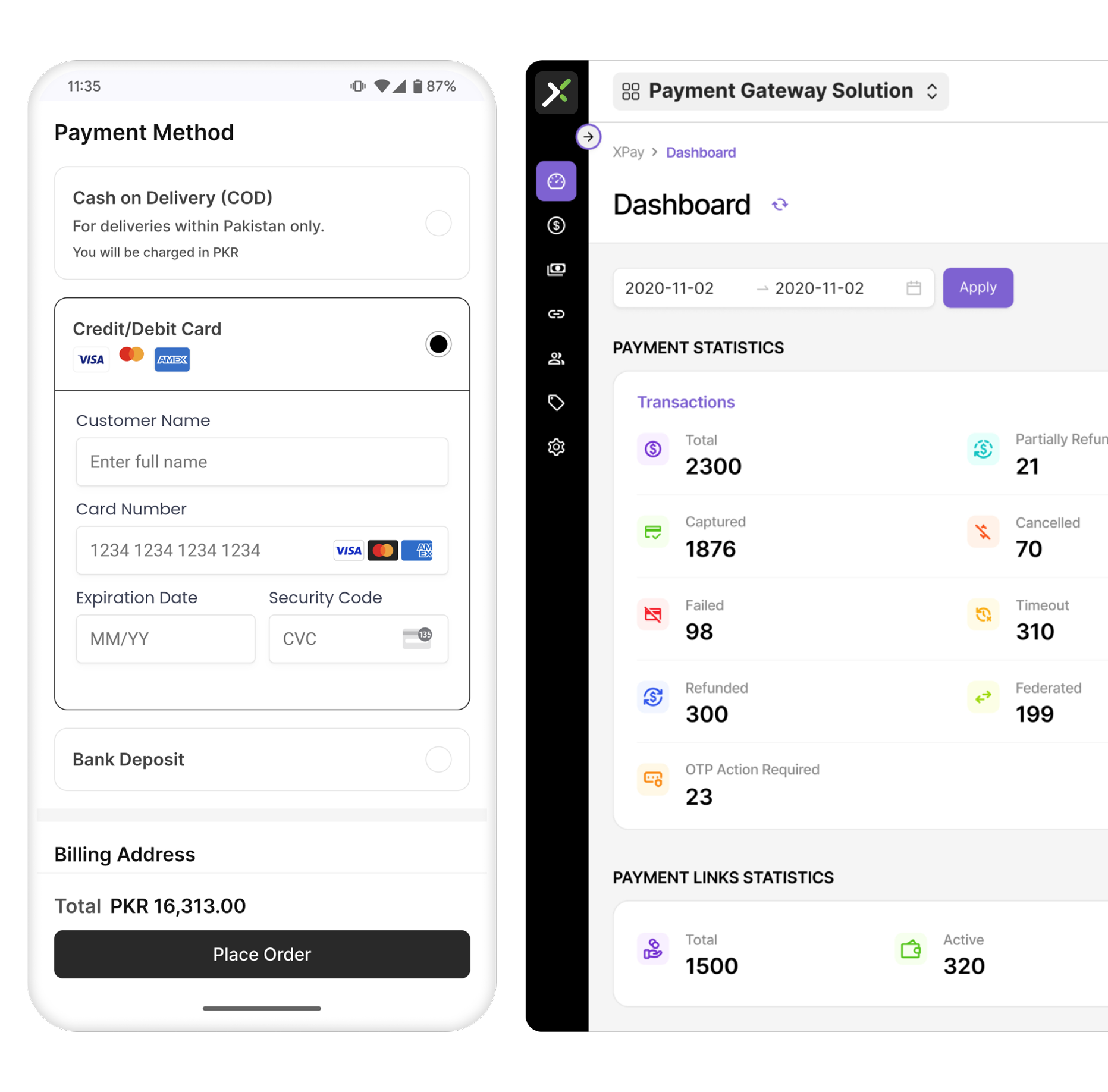
Customers complete their payment without leaving your Shopify store, creating a smoother shopping experience.
After merchant approval, XPay can typically be integrated with Shopify in around 30 minutes.
A streamlined payment experience reduces checkout friction and supports higher conversion rates.
XPay protects every transaction using:
Whether you're processing dozens or thousands of orders every month, XPay is designed to scale with your business.
Yes. You must first create and verify your XPay merchant account. After approval, you'll receive the credentials required to connect your Shopify store.
Your Merchant ID (MID) is entered in the XPay Merchant Portal, where it is securely linked to your Shopify store during the onboarding and integration process. Once the connection is established, simply sign in to the XPay Shopify app using your Client ID and Secret, there's no need to enter your MID within the Shopify app itself.
Your settlement bank account is added during the XPay merchant onboarding process. It isn't configured within Shopify.
Once your merchant account is approved and you've received your credentials, integration typically takes around 10 to 20 minutes.
Yes. XPay uses PCI DSS-compliant infrastructure, tokenization, encryption, and fraud monitoring to help protect payment transactions.
Getting started with XPay is simple. Install the XPay app from the Shopify App Store, approve the app permissions and subscription, then sign in using the Client ID and Secret provided by the XPay team after your merchant account is approved.
Once connected, you can enable your preferred payment methods, perform a quick test transaction, and start accepting secure online card payments directly on your Shopify store.
With an on-site checkout, PCI DSS-compliant security, fraud protection, and seamless Shopify integration, XPay helps businesses in Pakistan deliver a faster, more secure payment experience while improving checkout performance and customer trust.
Ready to start accepting online payments?
If you don't have an XPay merchant account yet, complete the XPay merchant form to get started. Once your account is approved, you can connect your Shopify store in just a few simple steps and begin accepting secure online payments.
Offer customers a faster, secure checkout experience without redirects. From cards and wallets to payment links. XPay helps you reduce drop-offs and get paid reliably.
Get Free Demo




.svg)